
In this article we will be seeing how you can play your favorite Android games on your computer. Android has been capturing the Smartphone market expanding its boundaries way beyond its competitors. Out of many features of Android that attract users, App plays a key role among them. App and Games available in Google Play can turn your phone to an entertaining and highly productive device. Consider a situation you might not own an Android mobile but want to try an awesome game that you played on your friend’s mobile. Or you wanted to test apps before installing it on your device? Or is your child always playing games on mobile for hours together draining the battery? Will it not be better if he is able to play his favorite Android games on PC giving mobile a break?
Playing games on computer does gives you many advantages when compared to playing it on your phone. You get to have a wide screen compared to small screen, more interactive and easy way to play the games via the keyboard instead of touch pads.
How to Play Your Android Games on Windows PC?
Emulators are the answer to this query. Let’s see some Emulators that lets you use, play Android games and apps on your computer.
1. Bluestacks: This application helps you run games/apps on your Windows PC and Tablets too. Once installed, it gives you some default games which you can try. If you want to try some game which is not featured then you can use Cloud Connect feature provided by this application which lets you sync the apps from your phone or tablet with the BlueStacks installed on your computer. To use this feature you have to install BlueStacks Cloud Connect on your Android mobile. Once synced, apps can be installed from the cloud. This is our personal pick because of its features and most importantly it comes for free!
– Download: BlueStacks App Player [Alpha Version]
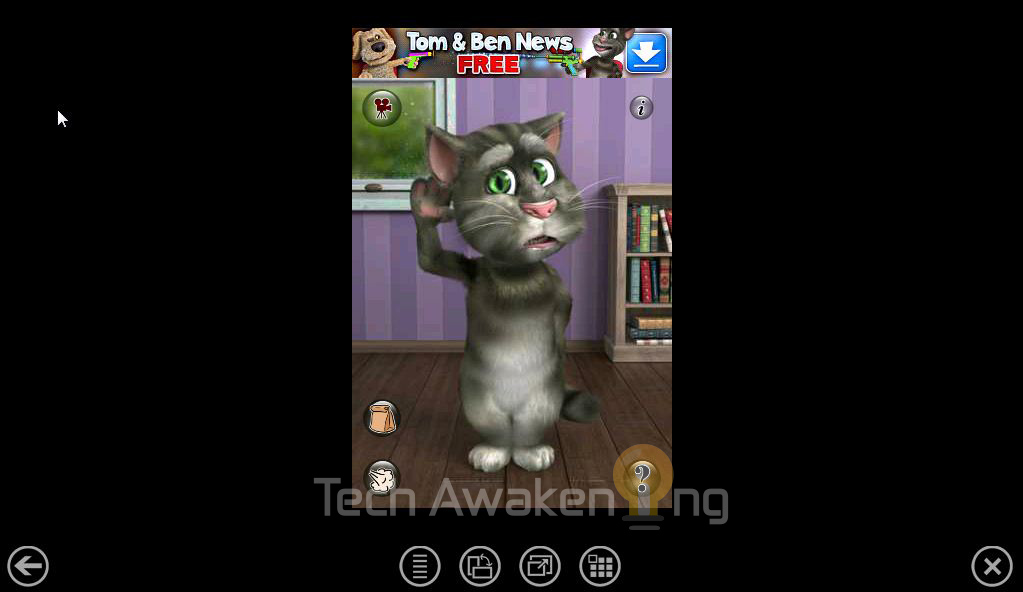
2. YouWave: This emulator works on Windows XP/Vista/7. Similar to Bluestacks it provides some default games like OpenSudoku when installed. It allows you to download apps from Amazon Appstore, AndAppStore and Appoke. It has features like Dynamic rotating, saving games and supports multi-player online gaming too. Fully functional 7-day trial version is Free of cost.
– Download: YouWave
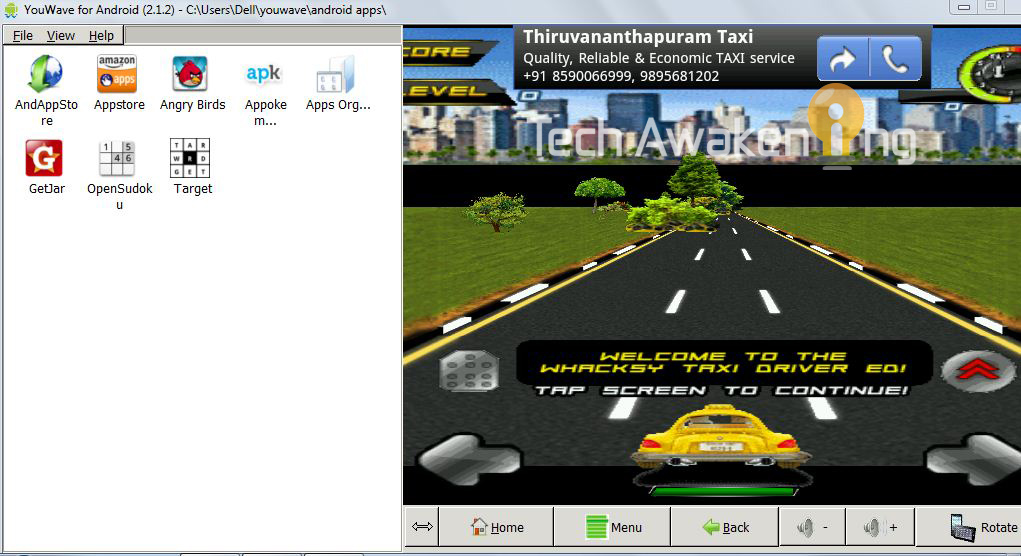
Note: Apps that use ARM native code might not work.
[Update: 22-12-2013]
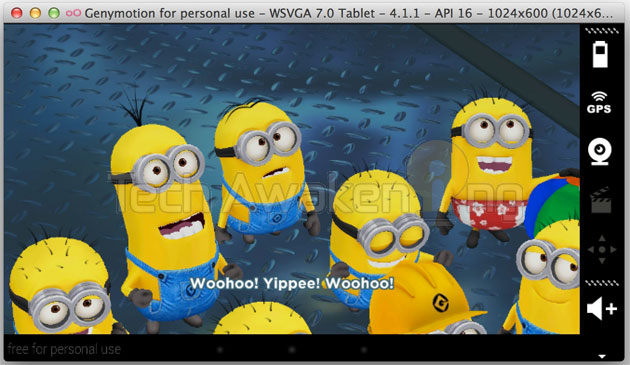
3. Genymotion: This one has truly impressed us. Looks like the best alternative to Bluestacks. Light weight and super fast to use. Have impressive features which users/developers will relish.
Features:
– Drag and drop app installation.
– Testing apps/games on big screens like TV.
– Sensor support.
– OpenGL Support.
– Register and download Genymotion free version for personal use. If you have any queries in installation process feel free to ask.
4. Windroy: Easy to use, one click installable emulator. It directly runs on Windows architecture hence considerably faster. Supports 3D based games.
– Download Windroy. You can install apps by going to installation directory and placing .apk files in Windroy\windroy_root\data\app folder.
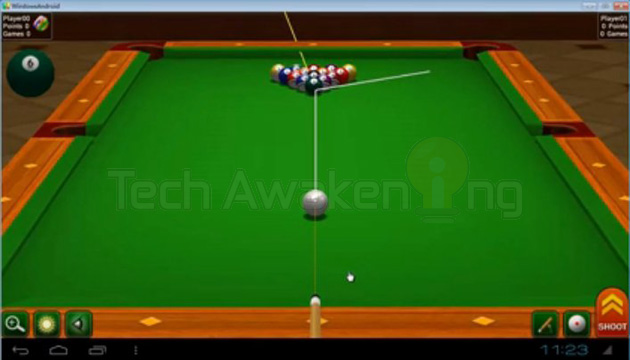
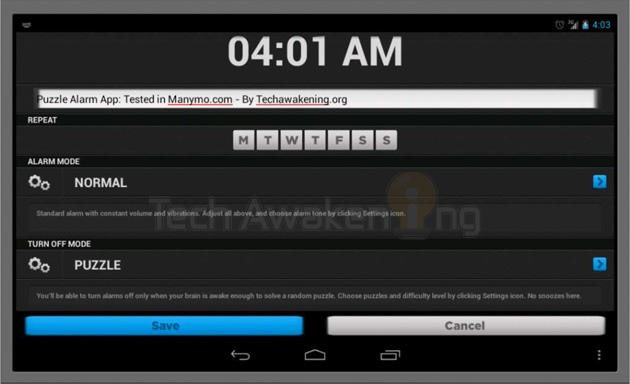
5. Manymo: This emulator is bit different from the rest. Unlike the others which are desktop based apps this one is browsed based. Yes, an Android emulator on your favorite browser. You can upload apps and test them online. Since its browser based lags are noticeable.
Features:
– Test apps online without the need of any installation.
– Embedded apps on websites.
– Test your games on various devices on the fly.
– Sign up for Manymo trail account and upload your apps.
Now on not having Android mobile should not stop you from playing your favorite games! Emulators are there to save the day for you. Know any other tools that lets you run Android games on your PC? Do share it with us. Because sharing is caring 🙂
You might also like: How to Save Web Pages, Videos and Send it to Android Devices
good applications for games’ freaks. Thanks for the share 🙂
Welcome here Priyanka 🙂 Thanks for your comment!
Dear ShunmughaSundaram,
Pls tell me some more interesting games like subwaysurf, temple run 2 for xperia u and pc .i love the above two mentioned.Hope i will hear from you .
Vishwaravi,
Please try Temple Run Brave, Run Like Hell and Agent Dash. Hope you like them 🙂
need to play monster legends android bro very nice game 😀 .thx bro
wished we could play windows games on android:D
Ha ha 🙂 I am sure it would be every much possible soon with Cloud Computing!
Do check this out : http://forum.xda-developers.com/showpost.php?p=6690015&postcount=22
As i have many favorite games at my android mobiles, so i could be awesome when i play them at my desktop. thanks for informative post.
this tool do not work under windos 7.
🙁
Latest version works with Windows 7 too.
and what can I do if the game I want to play is in ARM code?
Arsegal,
Latest version of BlueStacks started supporting ARM code too. For example Angry Birds.
Bluestack is definitely a great Android emulator, with it i enjoy Android games on my PC. Thanks for the info though….i love your blog.
Yes that’s right. You are most welcome. Thanks for those words 😀
yes it is but it consume a lots (ramm) i had it installed on my laptop last week and when i tried to run a game a simple game like candy crush its just simply stuck my procesor went to 100% and my 2 gg of ramm where full
so i need another emulator that dint take so many resiurces
cool but can you use the keyboard on it
there is a emulator that i can share:live android
Could you please come again with your question it isn’t clear to me.
this is not a question
i couldnt download racing moto II in youwave android emulator…would pls help to get rid from this pain….i have no android device…but i m highly interested on it….so what should i do? ans me detailly request 2 all expert person
Did you try in BlueStacks?
BlueStacks can solve this error “arm native code and is not supported”
Do you know of any emulators or programs that will allow me to play android apps on either a windows pc laptop that’s running windows vista (but does not have the specs/hardware/drivers/whatever to run the games via bluestacks?) or on a mac running osx 10.5 (leopard – which does not support bluestacks?)
basically i have really old computers, and i have been trying to upgrade to snow leopard on the mac but that’s not working out, and bluestacks doesn’t work on regular leopard… and on my laptop which has vista, i can’t play the games i want to play because it says they require drivers or graphics that my laptop doesn’t have (and i tried to update all the drivers but it’s 4 years old and i can’t upgrade/update it any further without purchasing a new graphics card which i rather not do)
so are there any options for those of us out there that *can’t* run bluestacks?
Air attack HD full version is not loading properly in bluestack latest version
Please ensure you have updated drivers and minimum requirements are satisfied.
Could you please tell me the minimum requirments for running bluestack.
Please refer this official thread: Requirements to run BlueStacks
hi i would just like to ask…. can youwave play eternal legacy HD???
i want to play asphalt 7 heat hd and the dark knight hd on emulators. how do i do it. plz tell
thanks dude its awesome..!!!
i can play it… I try downloading bluestack and my sistem are not enought and i download youwave and manage to install it, but when i open 1 of the application, it say ” Android OS doesnn’t ready, lease try a gain in a few second ”
then ill wait for 10 minute and i still cant
help…
HI, I HAVE INSTALLED BLUESTACK ON MY PC , WANT TO PLAY HIGHWAY RIDER …THE GAME HAS STARTED BUT CANT PLAY IT BCOS THE BIKER IS NOT MOVING EITHER RIGHT
OR LEFT USING KEYBOARD. …..DONT KNOW WHATS THE PROBLEM…….PLEASE HELP…..
it’s perfect, but I got a little problem that I can’t use my keyboard to play some games that requires keyboard….
I’ll be thankful if you tell me what to do….
regards
i have encounter error while installing bluestacks mention below
“Bluestacks currently dosen’t recognize your graphics card.
It is possible your graphics Driver may need to be updated.
please update them and try installing again.”
i update driver and install it again but same error is occur.
hi all pls how is rotete screen bluestacks?
i cant install bluestacks. because i cant upgrade my SP2 to SP3. is there a way that bluestacks works on SP2? thanks for answering
Is there any way i could make this work for google play apps?
Download it on your phone then send the game to your PC via BlueStacks Cloud Connect.
I wanna be able to play Frontline Commando.
It does not work on windows 64 Bit 🙁 what should i do ?:(
Is really great to play these games on the big PC screen 🙂
Yes indeed 🙂
Does it work for fps games
Probably yes. Latest version should be able to handle it.
Like Modern Combat and Nova
[…] many, that answer simply won’t be enough, and the issue of piracy has yet to be rebuked. Many enjoy Android games on their computers now and soon, they may enjoy any exclusives the system will […]
Hi , would like to ask is there anyway to get macro key for bluestack, kinda hard to play rpg games with just a mouse (example: zenonia5) , since the movement key and skill attack key is both opposite side , very headache and slow when move the mouse during game . kindly provide me guidance.
Thanks for this post. I have been looking for this. I want to play android games on my windows.
Pinoy Blogger
Welcome! 🙂
Can you give me an android emulator that works on a hp laptop?
I already tried installing bluestacks but it always say error 25000 even though ive upgraded my grachic card/graphic driver.
PLS HELP ME!!!!!!!!!!!!!!
AronRiggx,
Did you try suggestions mentioned here: https://getsatisfaction.com/bstk/topics/error_25000_while_installing_bluestacks
I’m not able to use bluestacks. when i try to add account it gives me error “Unable to establish connection”. I have high internet connection, but still it wont connect. Help?
hai dude,
i like this apps very much.i love games very much more than everything.i wish u all the best for your future success.
Haroon,
Thanks a lot buddy and do share this article on social network if you liked it 🙂
YouWave is a Fake emulator. It doesn´t support arm and Flash games. Don´t buy shit ! ! !
Nice app, I am going to give this a try, not sure if it will work on my favorite games tho. Thanks for sharing.
Kent Chen,
Thanks for the feedback! BlueStacks is feature rich should support most of them 🙂
can Bluestacks run Android games like mmo Ragnarok Valkyrie uprising?
Thanks foe this post nice and helpfull 🙂
Welcome Sanjay! Do like/share this article if you like it 🙂
can u play android game “chaos rings” on this?
can you play ragnarok valkyrie uprising [eng ver.] here?
sir/mam..
How to set the system clock fixed for a particular software ? i heard it once that there is a possibility in registry. can you help me ?
Yes, there used to be a software for it I believe. But have forgotten the name 🙁 Will let you if I find it.
friends, any body can say how to play android games in pc windows ???????
This post about that my friend! Please read it fully.
ohh its really working. but some time it work very slow? what is pc requirement for this software?
i download the blue stock during the installation it say (blue stock can’t recognizer your graphics card. it is possible to may update your graphics card after you update your graphics card try again)what is this error help me!
Sadam,
Your graphics card might be out of date that could be the reason. You need to update it to latest version.
Follow the instruction 4 & 5 here under the heading: Why 3D inspect button is not visible in your Firefox 11 ?
i dont have garphic card so it may work or not?
Yes, probably it might not.
how to connect game controller with bluestack
on my system it show connected but whn i play game its not working
deepbrar87,
Once connected are the apps being listed down? Are you able to sync?
it works in windows 7 ??????
Yes it does.
nice copy……………….. content theaf
Jack,
Have any justifications to backup your words?
bro.. when im open bluestack beta version..it still loading.. what is the exact solution..plzzz rpl yr.. 🙂
Hey, When I start installing Bluestacks on my PC, it shows that installation failed because It requires atleast 2 GB physical memory, All my drives have more then 8 GB free space, Y this msg is shown then?
Harsh,
Please refer this thread: https://getsatisfaction.com/bstk/topics/how_to_install_bluestacks-jt2fn
You are required to have minimum of 2 GB of RAM they don’t mean free space in hard drives.
Probably solved solution here: https://getsatisfaction.com/bstk/topics/_fixed_bluestacks_2gb_memory_error
Use offline installer might fix the issue.
hey dude…but bluestacks is veryslow to run and play games…what is the sloytion for it on windows 8
Avinab,
What’s your system configuration?
Is there any way I can map touchpad controls from android to buttons on my keyboard? for ex, in monster shooter 1, I would like to move using my laptop keyboard…
By default most games come with keyboard support. Is it not working for all games or this game alone?
This thread might help you: Mapping game buttons to specific keyboard buttons in BlueStacks
Error help >> http://forum.xda-developers.com/showthread.php?t=2203982
Another error help for you >> http://www.xda-developers.com/android/how-to-install-and-root-the-latest-bluestacks/
Thanks for the links!
hello
ITS VERY IMPORTANT PLEASE REPLY BLUESTACKS SHOWS THAT I CANT READ MY GRAPHIC CARD AND CLEARED ITS FILES FROM USER APP DATA PROGRAM DATA AND PROGRAM FILES HELP ME
I HAVE A ANDROID DEVICE BUT SOME GAMES ARE NOT SUPPORTED AND I YOU HAVE TIME THEN PLEASE TELL ME HOW TO ROOT A CHINESE TABLET WITH ANDROID 2.2.1
Pranav,
This thread should help you troubleshoot the graphic card issue: https://getsatisfaction.com/bstk/topics/why_does_bluestacks_not_support_my_graphics_card
As far as rooting Android, there are lots of article available online give them a try. Or try this app: http://sourceforge.net/projects/androidroot/
can i install paid games like mortal combat 4:zero hour,the amazing spider man and many other paid version of GAMELOFT games…???
If you have .APK file with you, I believe you can install.
which one is better?
Khashayar,
BlueStacks is better when it comes to features.
I’d just like to point out that using YouWave, if you set the time back and it gives you more time, before you install it set your system date way ahead and then once installed, set it back. It should give you more time. I’m downloading it now so I can check, but that works 50/50 with these kind of installs.
Mark,
Thanks for taking your time to write in! Already happened to mention this tip under bonus tip section 😉
windroy crash in windows 7 32 bit, windroy is latest! how can i fix it!
POgi,
Hi.. Please raise the concern in official forum of Windroy: https://plus.google.com/+Windroy
Suggest you to try Genymotion too.
wow. . mobogenie + bluestacks = madness of fun . . tnx for the share
rj nerf,
You are most welcome. Do share this post across 🙂
can i ask if u know an emulator where ragnarok:valkyrie uprising heroes path works?coz bluestacks don’t support it.tnx if ever u reply 🙂
I cannot play the games because it needs to be tilted…
How can I play games using Keyboard…..
What is the game you are trying to play?
hey guys i cant install the bluestacks software bcoz of bitdefender antivirus. what should i do? pls suggest
[…] How to Play Android Games on Your PC with Emulators – In this article we will be seeing how you can play your favorite Android games on your computer. Android has been capturing the Smartphone market expanding its …… […]
hello i try to play same racing game like asphalt in genymotion but i unable to use laptop keyboard can u help me
droid 4x emulator google that and pray your graphics driver is able to run it great and easy emulator for android system your welcome enjoy
i just want to download wechat phone apps & use it on a pc like the way it used to be on any smart or android phone.thanks